
I hope everyone is well! I am quite tired right now because this week had some heavy lifts but I achieved two main things:
Quick Summary
- 🥇 Unit Testing library added to project
- Tests created for most Route behaviors
- 🥈 On-line Node creation now available
Unit Tests
Unit tests are scripts a developer runs that verify processes in the code are working as expected. Being in the software development industry, I know these are considered best practice and I had planned on adding them eventually. This week, eventually happened 😆. I had posted last week’s blog after a great deal of refactoring (rewriting code to be more efficient) that I felt wasted some of my time. I decided I didn’t want to do keep chasing unexpected breaks every time I add new features. The time for unit tests had arrived!
I was scared of doing this because I knew it wasn’t straight-forward and would have a bit of a learning curve. But setting up the testing library on Unity actually wasn’t that difficult.
(Things get a bit technical after this point, you can skip to the next session if you are not interested in coding stuff)
The real problem started when I ran into a gigantic wall of disinformation online. I very quickly realized that I didn’t know how to instantiate any class that was derived from one of Unity’s base classes called MonoBehaviour.
Several sources that I read/watched online said that one cannot instantiate MonoBehaviours in a Unit Test context, but this is completely untrue. I spiraled into a thinking hole, trying to find out how I could completely rearrange my logic in a way that would remove any reliance MonoBehaviour objects. But these objects are so ubiquitous in Unity, it seemed completely impractical.
Eventually, I deciding that this simply couldn’t be true, so I kept digging and found this useful page. So, it turns out it is completely possible to instantiate MonoBehaviours in unit tests, and it’s ridiculously easy.
For example, here I instantiate a MonoBehaviour class for one of my route nodes:
//point to the location of the game asset in the project
RouteNodeController NodePrefab = Resources.Load<RouteNodeController>("Prefabs/OneWayNodePrefab");

//instantiate
RouteNodeController NodeMarker = GameObject.Instantiate(NodePrefab);
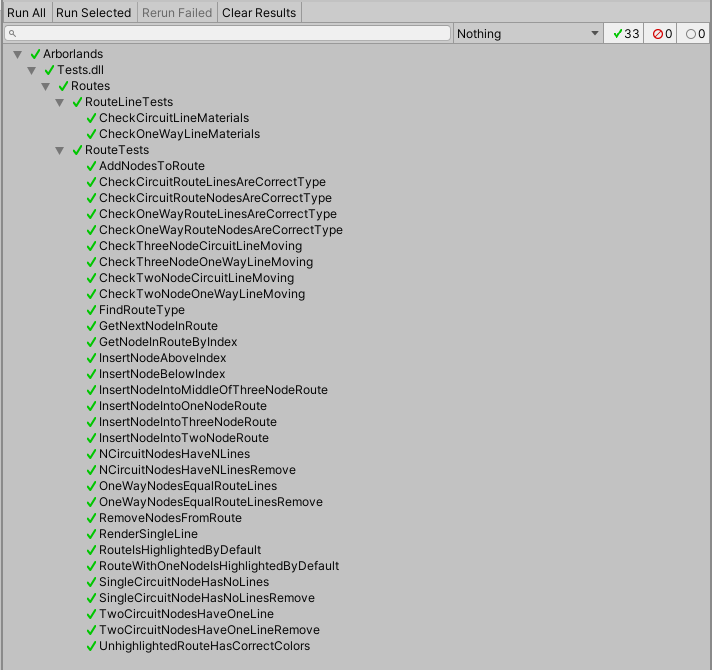
Once I had that figured out, I started creating tests for my routes. These were simple because they don’t rely on time to pass and I don’t have to mock any inputs.
While the tests aren’t incredibly complex, they already helped when I worked on adding nodes on lines (in the section below). Truth is, these tests also help write cleaner code, especially if I write the test before the actual code. I will continue adding tests for behaviors that already exists until my most scenarios are covered.
Adding Nodes on Line
The unit tests were a decently tough task, but things didn’t let up after that. For about a week, I had been wanting to add functionality that allows the player to add new navigation nodes by clicking on the route line where the new node should be inserted.
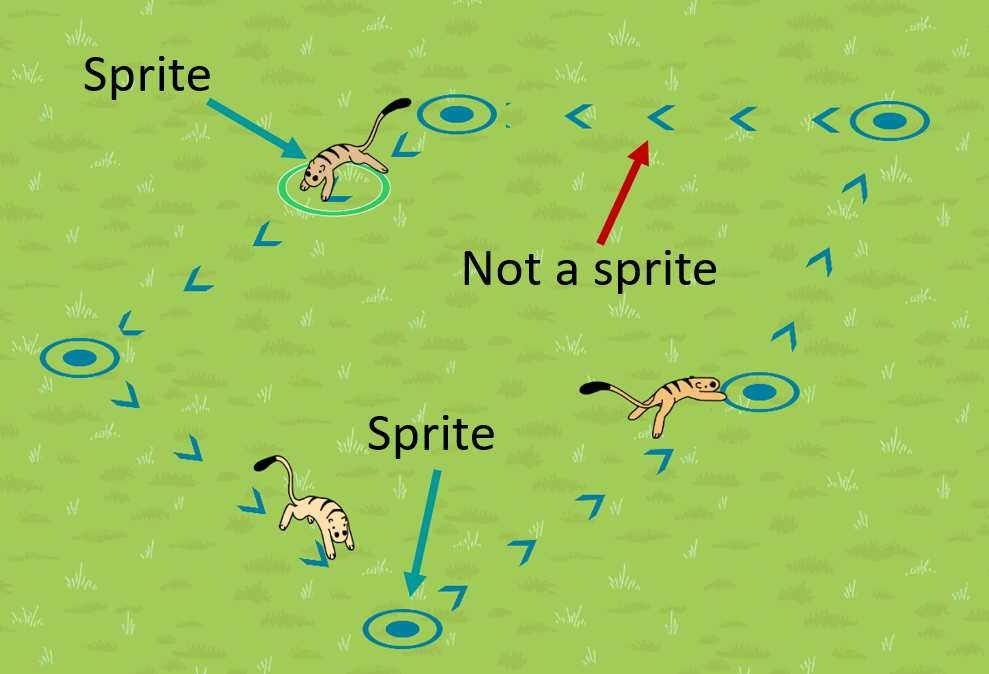
This turned out to be much more complicated that it would seem. You see, the lines between route nodes are not sprites like the Arborians, nodes, or plants in the scene. They are LineRenderer objects. Short story: detecting when the mouse is above these lines or when they are being clicked requires more programming than it did for the Arborians and the nodes.
I was not fully familiar with what I was supposed to do, so it took me a day or two to get right. Even now, the behavior isn’t exactly perfect, but it’s a working prototype. I’ll keep my eyes open for ways to sharpen my skills here.
There were some complications – I put the lessons I learned about MonoBehaviour instantiation above to make my objects more test friendly. This caused some unexpected behaviors, I’ll be creating tests to make sure I know exactly what I’m doing.
The result looks quite nice though!
There are some graphical and behavioral glitches: you can see that the hovering nodes appear from time to time when they shouldn’t. Will have to fix that. Also the one-way hovering node is the wrong color, hehehe.
Thanks for reading and staying tuned! I’ll see you again next week! 😄
 Arborlands
2 Comments