
It wasn’t a particularly meaty week as I was getting finished up with the site/social media set up.
I did encounter a frustrating problem though, overlapping tree shadows: In order to achieve a shadow look, I created an image (or sprite) that is completely black, then imported it into Unity. I then set the black shadow to be partially transparent so that objects underneath it become shaded.
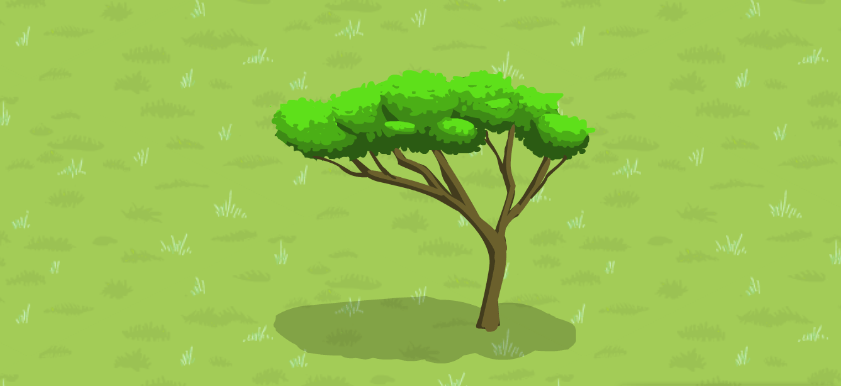
The problem came when I put more than one shadow in one place. In computer graphics, and in some real-life lighting situations, shadows can overlap to create deeper shadows. But you generally don’t see this in nature and I want a more cel-shaded look in Arborlands.

This problem was driving me a bit crazy when I thought that maybe I could hack my way out of it by using masks. The solution I found was to have each shadow have a mask above it that hides other overlapping shadows. The only way I can get this to work (and I was trying all sorts of ways) was to have the shadows be on a completely separate sorting layer than other objects.
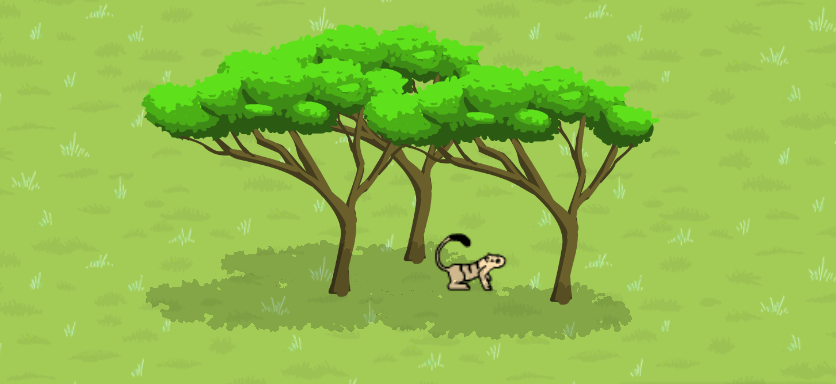
The mask and the shadow are in the same layer, above all other layers, and the custom range is set to have the default layer behind it.
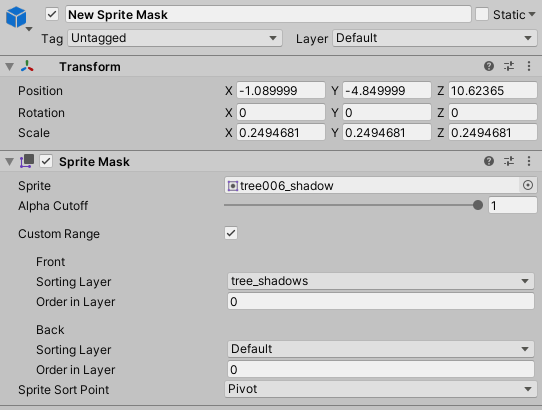
Now I will admit, this feels really ramshackle, and I don’t really know why this works. I would wager a hefty dime that I will eventually have to find a better solution. The most obvious issue is that the shadows are above all other objects in the game, so even if an object that is in front of the shaded area (from the player’s perspective) is still shaded. So far, though, this hasn’t been seriously visual-breaking, so I will leave it as is for now. ¯\_(ツ)_/¯
Talk at ya next time~!
 Arborlands
1 Comment